SSH client · OpenSSH inside
Your SSH connections, one click away.
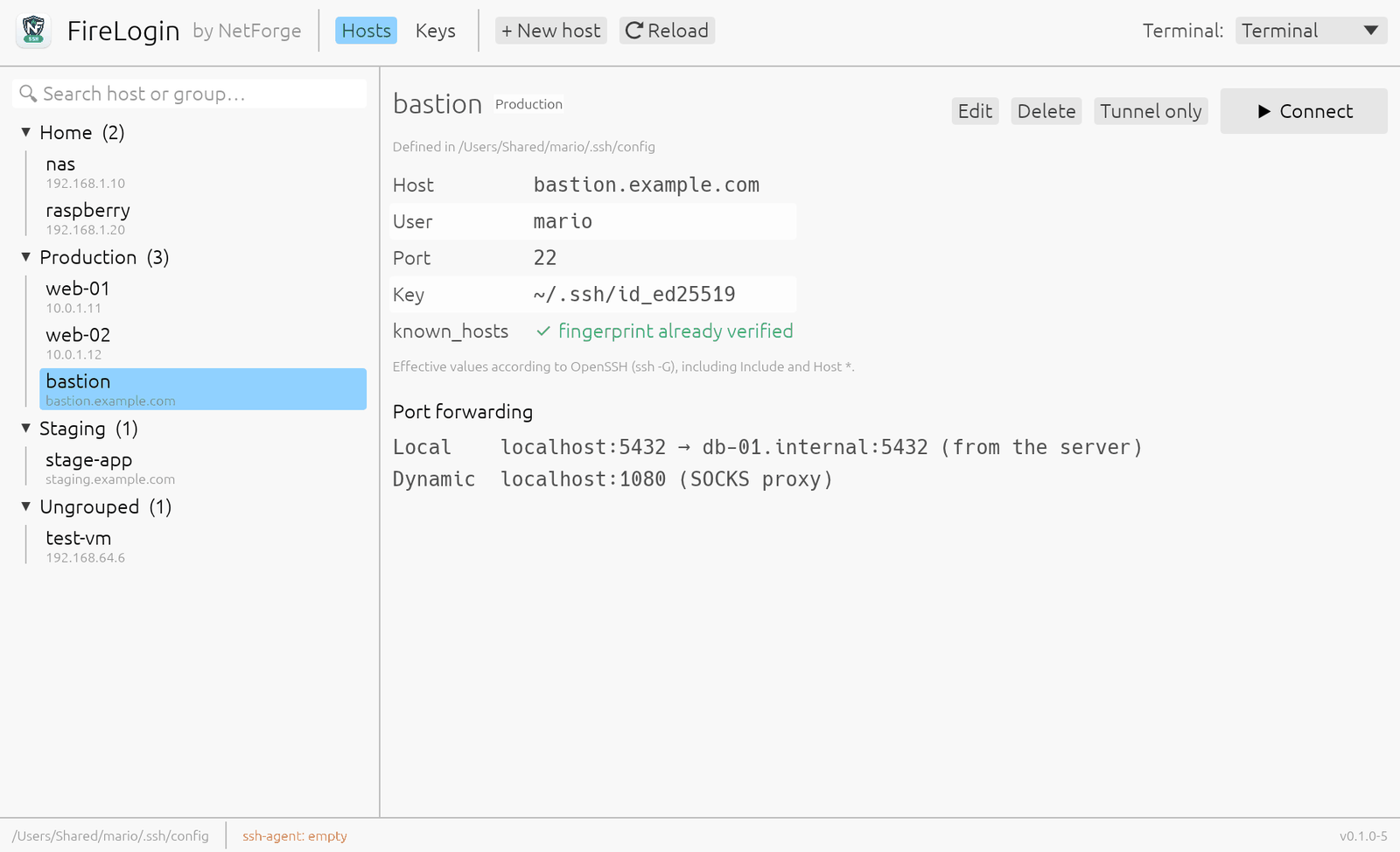
FireLogin is a lightweight graphical SSH client. It organises the hosts in your ~/.ssh/config and opens them in your terminal with the OpenSSH already on your system: nothing to lock you in, nothing phoning home.
Windows (WSL2) and Linux: coming soon.
Everything you use SSH for, without leaving OpenSSH
FireLogin is an address book and a launcher: it gives your hosts a clear interface and leaves the connection to the tool you already trust.
Hosts and groups
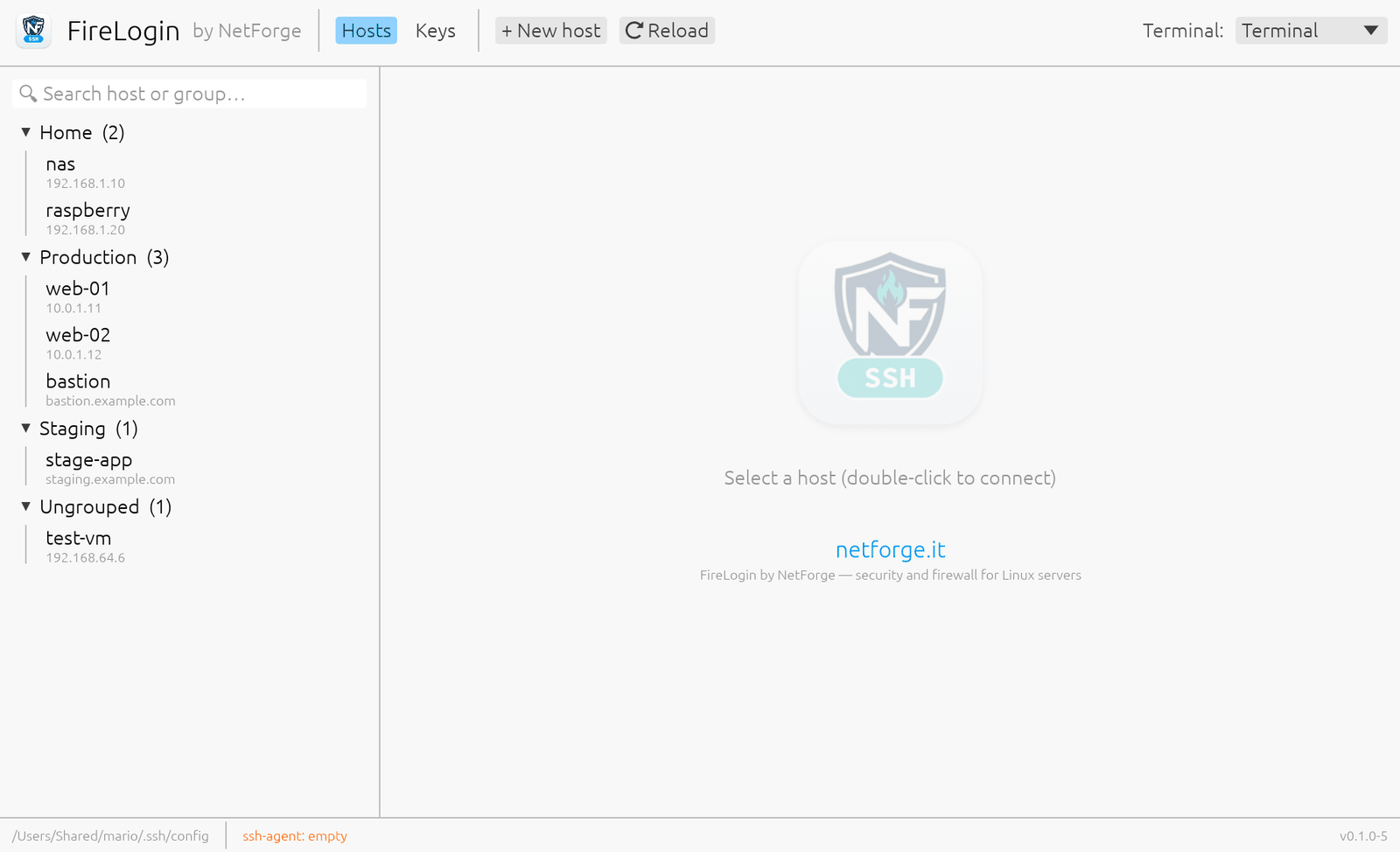
All the Host blocks of your config in a searchable list, organised into groups you can collapse. Double-click a host to connect.
Port forwarding and tunnels
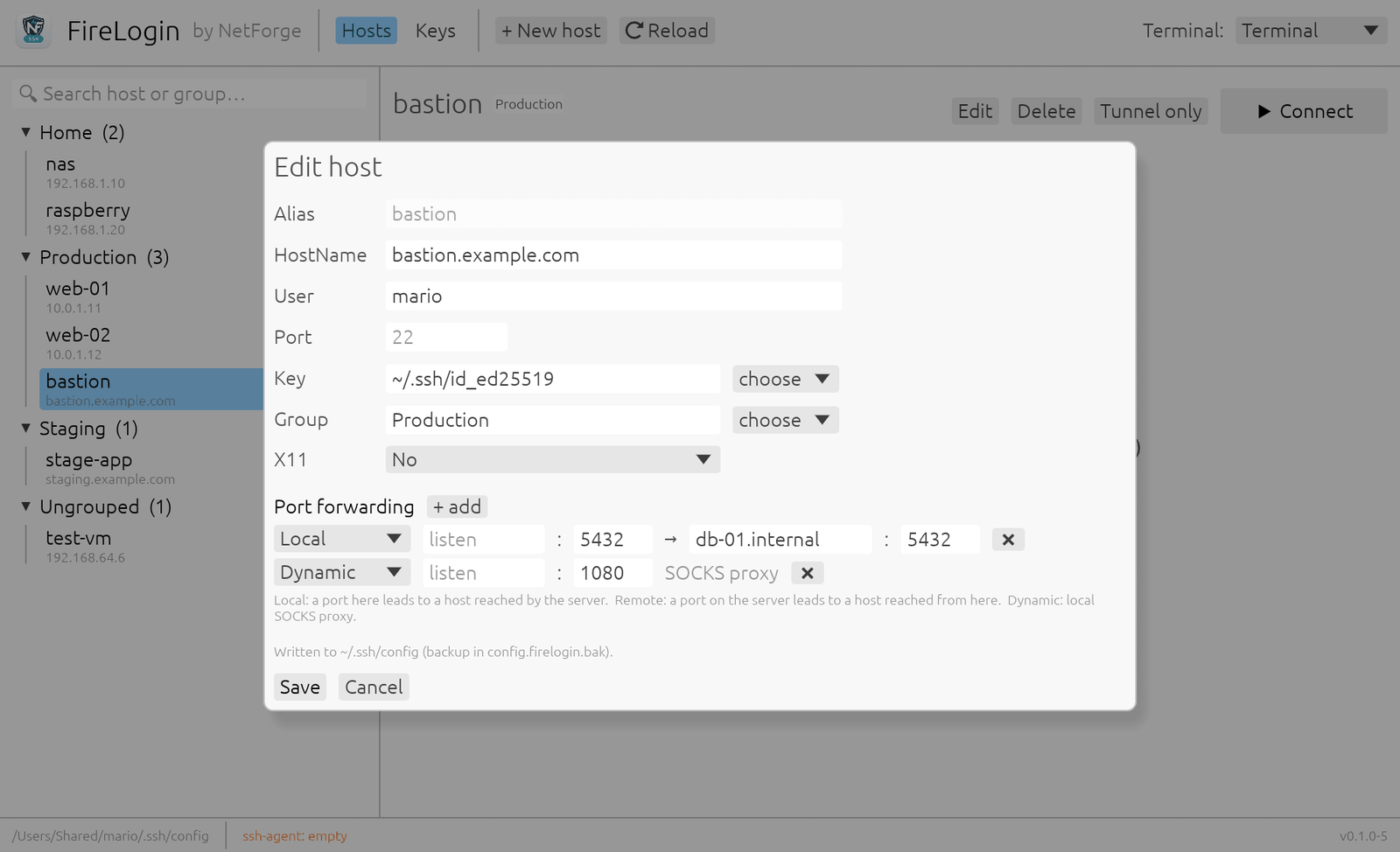
Local, remote and dynamic (SOCKS) forwards from a form, and a "Tunnel only" button that opens them without a remote shell. You are warned when a forward is exposed to the whole network.
SSH keys
Your keys with their fingerprints at a glance. Generate new Ed25519 or RSA keys, or import an existing one by dropping the file on the window.
X11 forwarding
Run the server's graphical programs on your screen, in protected mode by default. The trusted mode is only used when you pick it, with a clear warning.
Nothing to lock you in
No database and no format of its own: FireLogin reads and writes the standard OpenSSH files. Uninstall it and ssh your-host works exactly the same.
Native and light
A single native app of about 4 MB, written in Rust. No webview, no Electron, no browser engine inside. In English and Italian.
A look inside
The screenshots use example hosts.
~/.ssh/config.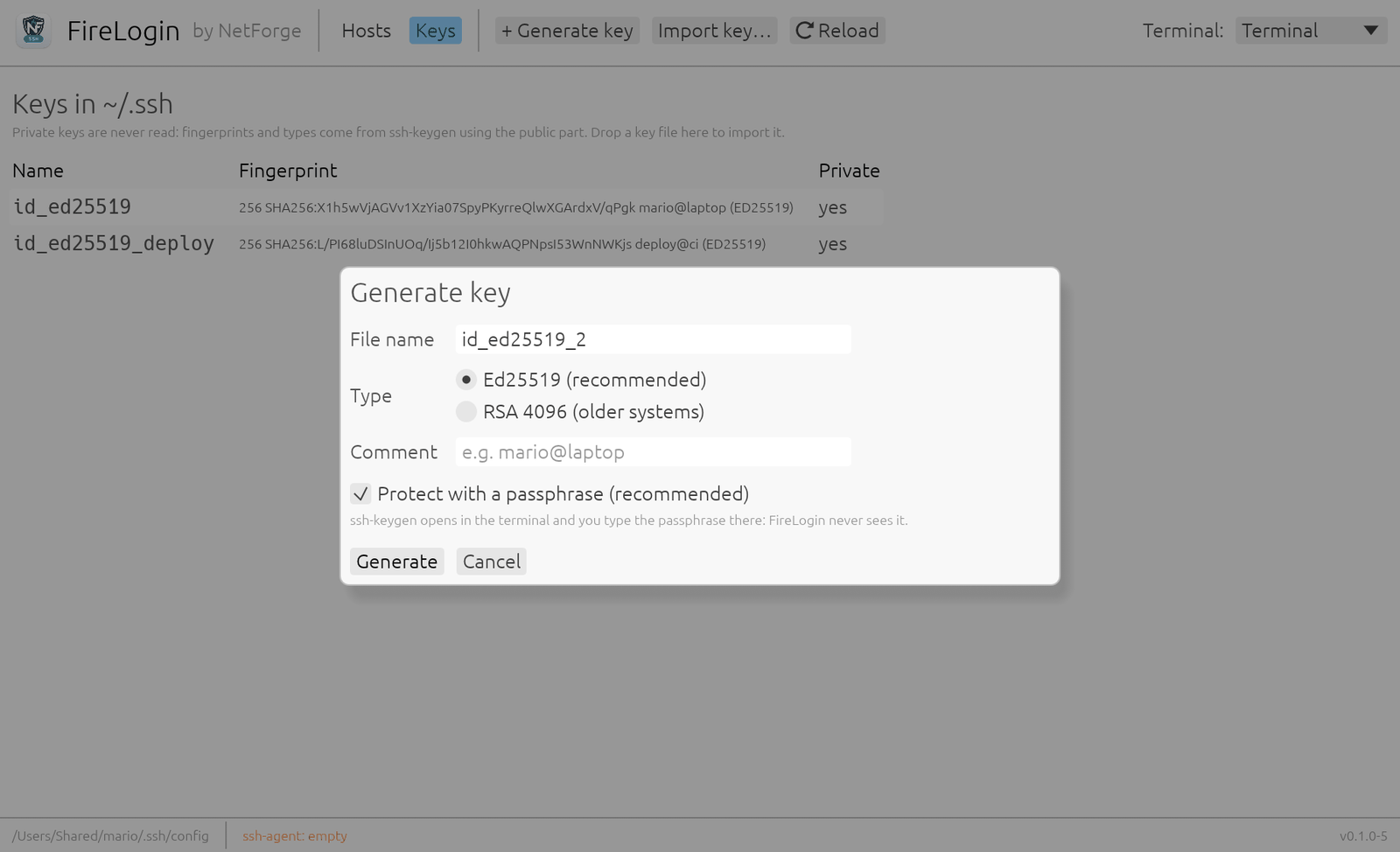
Secure by design
An SSH client handles the keys to your servers. FireLogin is built to do as little as possible with them.
- OpenSSH does the SSH. FireLogin does not implement the protocol: encryption, keys, ssh-agent and known_hosts are those of the OpenSSH on your system.
- Private keys are never read. Fingerprints come from ssh-keygen using the public part; passphrases are typed into ssh-keygen in your terminal.
- No passwords, no telemetry. Nothing is stored besides the standard OpenSSH files, and FireLogin makes no network calls: the only traffic is your SSH connection.
- Hardened against injection. Every host, user and value is validated before it reaches the config or the command line: a host like
-oProxyCommand=…is rejected. - Careful with your config. Before editing
~/.ssh/configit makes a backup, writes atomically with 0600 permissions and changes only the lines it manages. - No shell in between. Programs are started with separate arguments, never by building a command line to be interpreted.
Download
FireLogin 0.1.0-6 for macOS 10.13 or later, one app for Apple Silicon and Intel Macs. It uses the OpenSSH included in macOS; for X11 forwarding you also need XQuartz.
FireLogin is free: download it and use it at no cost, with no account and no registration. It is proprietary software by NetForge; the source code is not published.
SHA-256 checksums: FireLogin-macos.sha256 · Windows (WSL2) and Linux: coming soon.
First launch
FireLogin is not notarized by Apple, so the first time you open it macOS blocks it. To allow it:
- Open FireLogin once and close the warning.
- Go to System Settings → Privacy & Security, scroll down and click Open Anyway.
- Confirm with your password. From then on it opens normally.
Or, from Terminal:
The first time you connect, macOS also asks whether FireLogin may control Terminal: allow it, that is how it opens your SSH sessions.
From the makers of NetForge
NetForge is the security dashboard for Linux sysadmins: audit, firewall, VPN, SSL, DNS and network analysis in 50+ modules. It runs locally, with no cloud and no telemetry.
Discover NetForge →